Make videos of Maya with AI
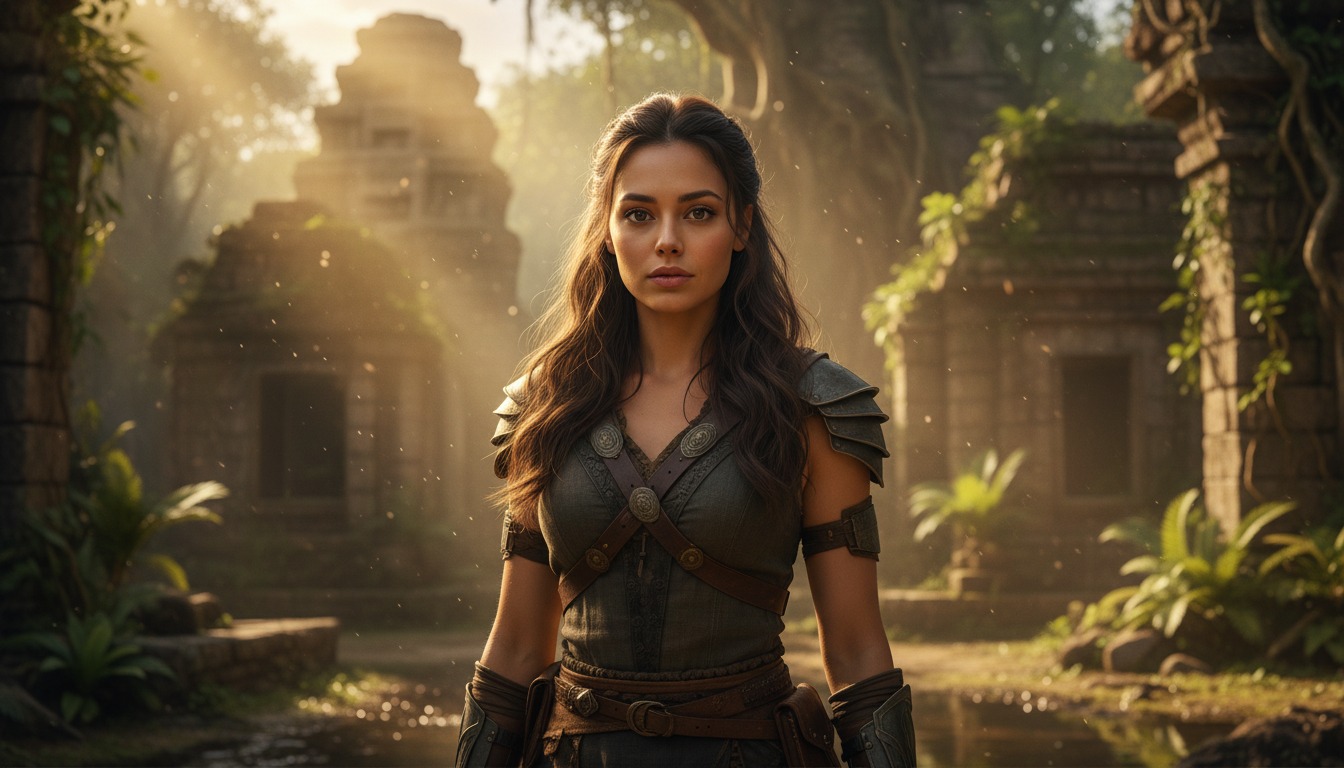
She's in her 20s with brown eyes, long loose curls, and light skin — ideal for contemporary, authentic stories.
Make a video
Make Maya the star of your video.
Maya brings warmth and relatability to any story. Paste in your script, and Hypernatural will use the dialog and characters in your video. You can edit your video using Hypernatural's AI Video Editor, and then export it or share it with a link.

Video ideas starring Maya
Put Maya in any story you can imagine with our AI Video Editor. Here are some ideas.
Maya has been coming to the same coffee shop every Tuesday for a year. She orders the same drink, sits in the same corner, and writes in a notebook. Today a stranger slides into the seat across from her and says they have been watching her. Not in a creepy way — they are a producer. They want to option her script.
Maya laughs and says she is not a writer; the notebook is a journal. The stranger pushes a business card across the table. On the back is a title. It is the exact title of the story she has been writing — and she has never shown it to anyone.
Maya is at a friend's wedding as a plus-one, feeling out of place. She strikes up a conversation with another guest at the bar. They talk for an hour; they exchange numbers. When the reception ends, the guest says they have to leave early — their sister is in the hospital. Maya offers to drive them.
At the hospital, the guest's sister is asleep. The guest turns to Maya and says: she's not really my sister. She's the only person who can confirm what happened the night my brother disappeared. And I think you might have been there too.
Maya has just moved into her grandmother's old apartment. In a drawer she finds a key and a note: for the box in the ceiling. She drags a chair into the closet and pushes up a tile. The box is there. Inside are photographs, letters, and a deed to a property in another country.
Under the deed is a photograph of her grandmother with a man she has never seen. On the back, in her grandmother's handwriting, is a date — and the date is the same as Maya's birthday, but twenty-five years earlier.
Maya is a guest on a true-crime podcast to discuss a case she researched in college. The host asks her a question she has never considered: what if the victim was not who everyone thought? Maya gives a careful answer. After the show, the host hands her an envelope and says: the sender asked me to give this to you in person. Don't open it until you're alone.
In the envelope is a single photograph. The person in the photograph is the victim — and they are standing next to Maya, at a place she has no memory of ever visiting.
Maya goes to her high school reunion and runs into her old best friend. They have not spoken in years. Over drinks, the friend admits they have been carrying a secret: the night before Maya left for college, something happened. They have been too afraid to tell her. Maya asks what it is.
The friend says: you asked me to remind you. You said you were going to forget on purpose. You made me promise to find you and tell you when the time was right. And then they hand her a folded piece of paper. The date on it is tomorrow.
A package arrives at Maya's door with someone else's name but her address. She opens it by mistake: inside is a vintage camera and a roll of undeveloped film. She takes the film to a lab. When the photos come back, they are not vintage — they are recent. And in every photo is the same person: Maya, in places she has never been, with people she does not know.
The last photo is different. It is a picture of her front door, taken from inside her apartment. The time stamp on the back is yesterday. She has never owned that camera — and she was home all day.
Start with a scene
How to make videos of Maya with AI
Create Maya videos in three simple steps with Hypernatural.
1. Choose this character
Select Maya from the character library to use in your video.
2. Add your script or idea
Paste in your script, and Hypernatural will use the dialog and characters in your video.

3. Make your video.
Edit your video using Hypernatural's AI Video Editor, and then export it or share it with a link.




Hypernatural is the simplest AI Video Editor.
Paste in your script and create versions of your video with different looks and styles and characters. Edit after generation and export or share with a link.
Characters
Explore more characters to cast in your videos alongside Maya.
F.A.Qs
Select Maya from the character library and add her to your script. Hypernatural will generate video with her appearance and voice for dramas, romance, or any narrative.
Yes. Maya can appear in as many videos as you like with consistent look and voice.
Hypernatural keeps the same character consistent across every scene. Once you cast Maya, her appearance stays stable throughout the video.
You can change characters in the editor after generation and reassign character actors to roles. Costume and continuity are preserved where possible.
Custom characters are ones you create. Stock characters like Maya are ready-made by Hypernatural. Both stay consistent and can be cast in your videos.
Features
Community
© 2026 Hypernatural Systems, Inc.