The brief, taken literally
xAI’s precision image model. Long, fussy prompts come back built the way you wrote them, down to the words printed on the pack.
Start creating
What makes Grok Imagine Image 2 different
xAI’s step up from Grok Imagine, built around getting the details right rather than getting them cheap.
Type that survives the render
Typography is this model’s strongest suit — wordmarks, flavor lines and small print come back as letters, not as a smear that looks like letters.
Long briefs land intact
Pile six requirements into one prompt and they all turn up. Clauses other models quietly drop are the ones this tier is tuned to keep.
Up to five reference images a frame
@mention a character, a product and a location in one shot; Hypernatural attaches each one’s photos and Grok Imagine Image 2 works from them together.
A real editing pass
Send an image back with an instruction and it re-renders that change, instead of rolling a fresh frame you then have to re-match.

Every clause in the prompt, accounted for
Write a long shot description and read it back off the picture. The dress, the socks, the windblown grass, the cliff behind her — each detail arrives because you asked for it, so you spend your time judging the shot instead of re-rolling for the half you did not get.
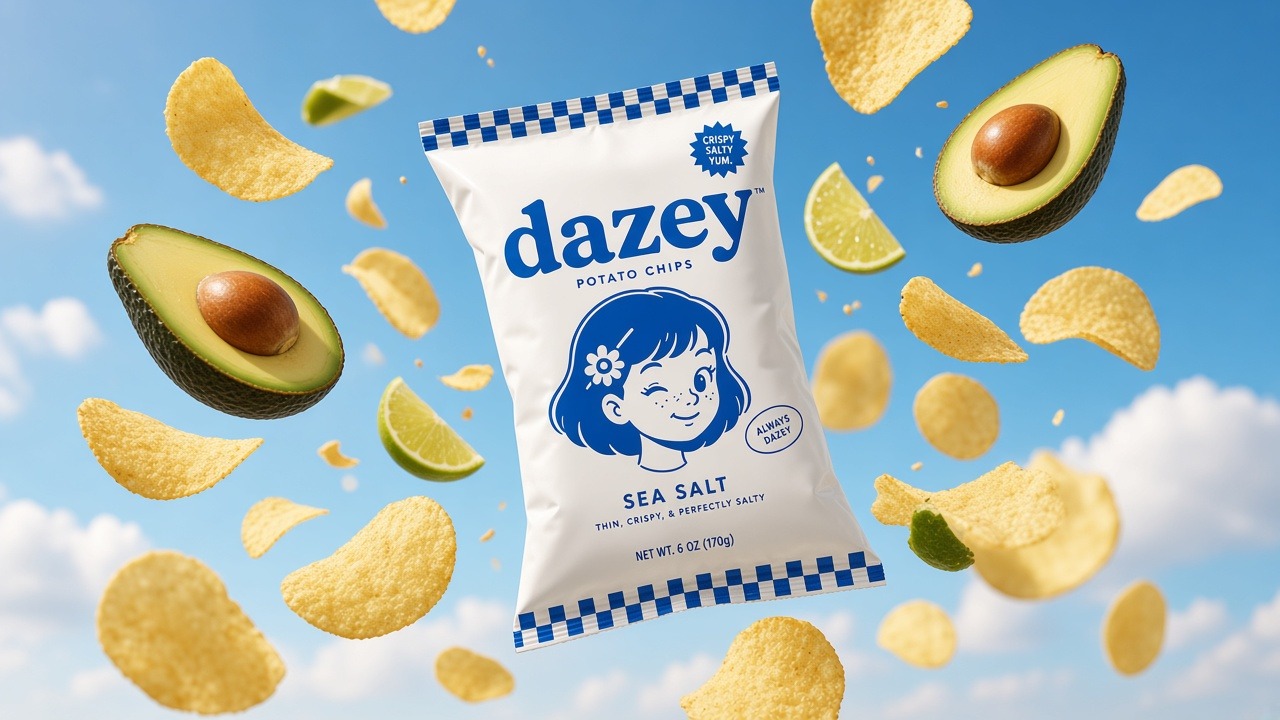
Label copy you can actually read
@mention a saved product and Hypernatural attaches the photo rather than a description of it. What comes back keeps the wordmark, the mascot and the gingham border — and the lines most models turn to mush, the flavor name and the net weight, stay legible at full size.
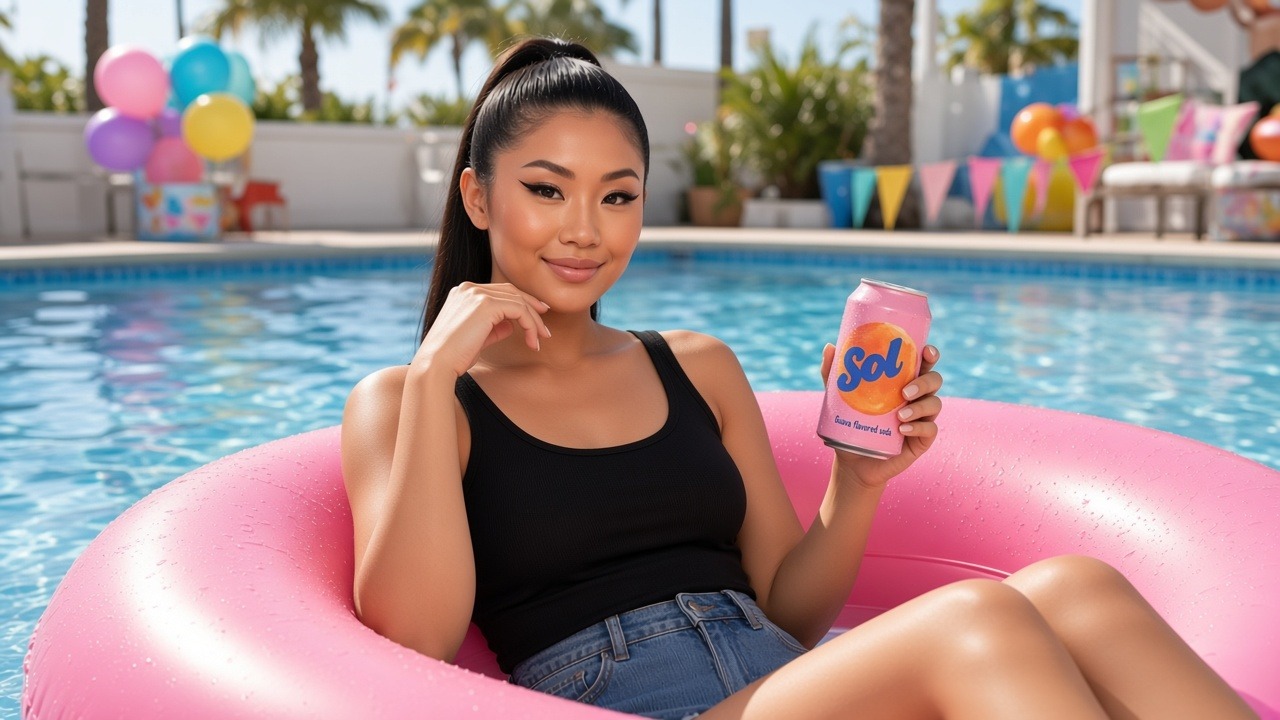
Your cast and your packaging in one shot
A frame can carry several references at once. @mention the person and the can she is holding, and Hypernatural hands over both photos — her likeness and the brand on the label arrive together, in a scene neither was shot in. What she wears follows the shot.
FAQs
It is xAI’s precision tier, and the one to reach for when the frame has to be exactly right: packaging and labels, signage, product shots where the brand has to be readable, and long prompts carrying a lot of specific requirements at once. Typography is the capability xAI built the generation around, so words inside the picture are where the difference shows up fastest.
Same vendor, newer generation, and a different job. Grok Imagine is the budget tier, built for drafting lots of frames cheaply. Grok Imagine Image 2 is the quality tier, built around instruction following, typography and reference fidelity. Both sit in the picker, so the usual split is to rough out a board on Grok Imagine and re-render the frames that ship on Image 2.
It is one of the pricier image tiers — you are paying for the precision rather than the volume. The picker shows the exact cost of whichever model you have selected before you generate, so that is the place to weigh it against a cheaper tier for draft work.
Yes. Add the character to your cast once, then write its @handle in every shot that features it — the @ is what tells Hypernatural to attach the portrait, so a bare name will not do it. Grok Imagine Image 2 renders that likeness into whatever the shot describes. What they wear follows the shot.
Up to five. @mention a character, a product and a location in the same shot and Hypernatural attaches each one’s photos, so they reach the model together rather than the first one winning. That is what lets a saved person hold a saved product in a place neither of them was photographed.
Yes. Describe the change — swap the background, fix a line of type, recolor the pack — and Hypernatural sends the image back to Grok Imagine Image 2 with your instruction, so it re-renders that element rather than generating a fresh frame. Hypernatural hands over the frame you already have as the reference, so your cast and packaging stay as rendered while you iterate — @mention an entity in the instruction itself when it is the thing you want changed.
Yes. Hypernatural hands the still to your project’s video model as the shot’s opening frame, then captions, narrates and cuts it together with your other shots. The image model and the video model are picked separately, so a Grok Imagine Image 2 frame can be animated by Seedance, Kling or Veo. Your cast and styles live in Hypernatural rather than in any one model, so changing either picker is not changing your look.
Community
© 2026 Hypernatural Systems, Inc.